Receipt OCR (optical character recognition) is a technology within HRWize that extracts data from images of receipts, whether digital or paper and converts it into data that can be used to automatically populate expense report requests.
This setting can be enabled in Administration > Company > Settings > Expenses > Expense settings through the "Enable receipt OCR" field:
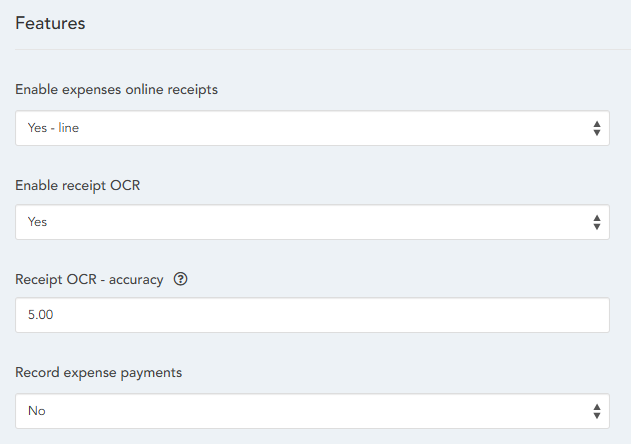
Below the enable field is also the "Receipt OCR - accuracy" field. When using OCR, depending on the quality and clarify of the receipts, there may be times when the OCR cannot reliably determine the values to use. Each receipt which is read has an accuracy score and you can adjust this score using the accuracy field - the lower the score will mean you will get more values filled in, but these are more likely to have errors, especially on unclear or damaged receipts. If you choose a higher number, then you are more likely to have blanks, or missing data, but the data that is populated will be of a higher accuracy.
Once enabled, a new tab will appear under the "My Requests" tab in "Self service" titled "Expense OCR". On this page you will be asked to submit any number of receipt images, either digital receipts or pictures of physical ones:
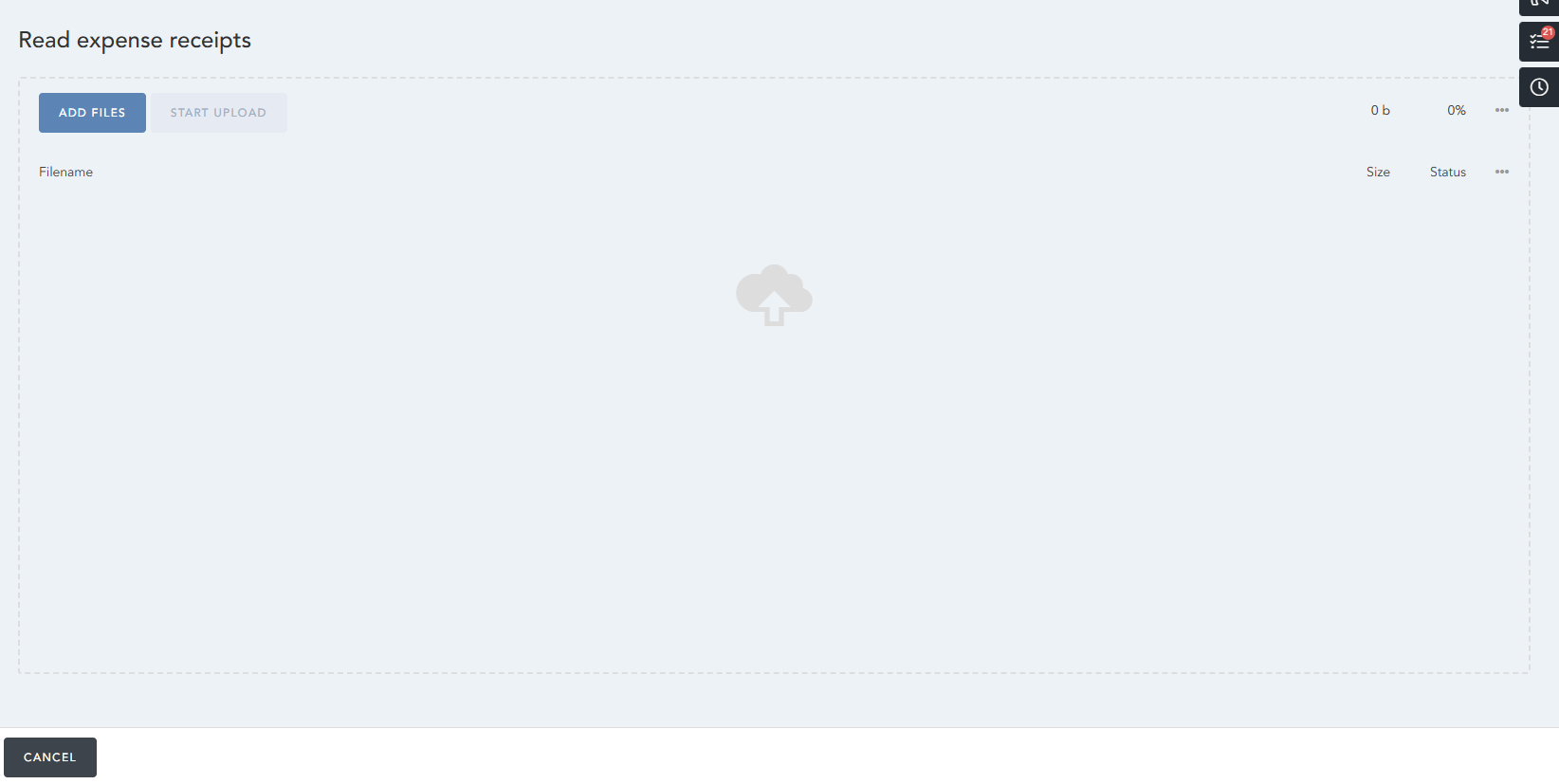
After you've submitted the necessary receipts, the "Start Upload" button will allow you to upload these receipts, which will create and redirect you to a new, automatically populated expense claim:
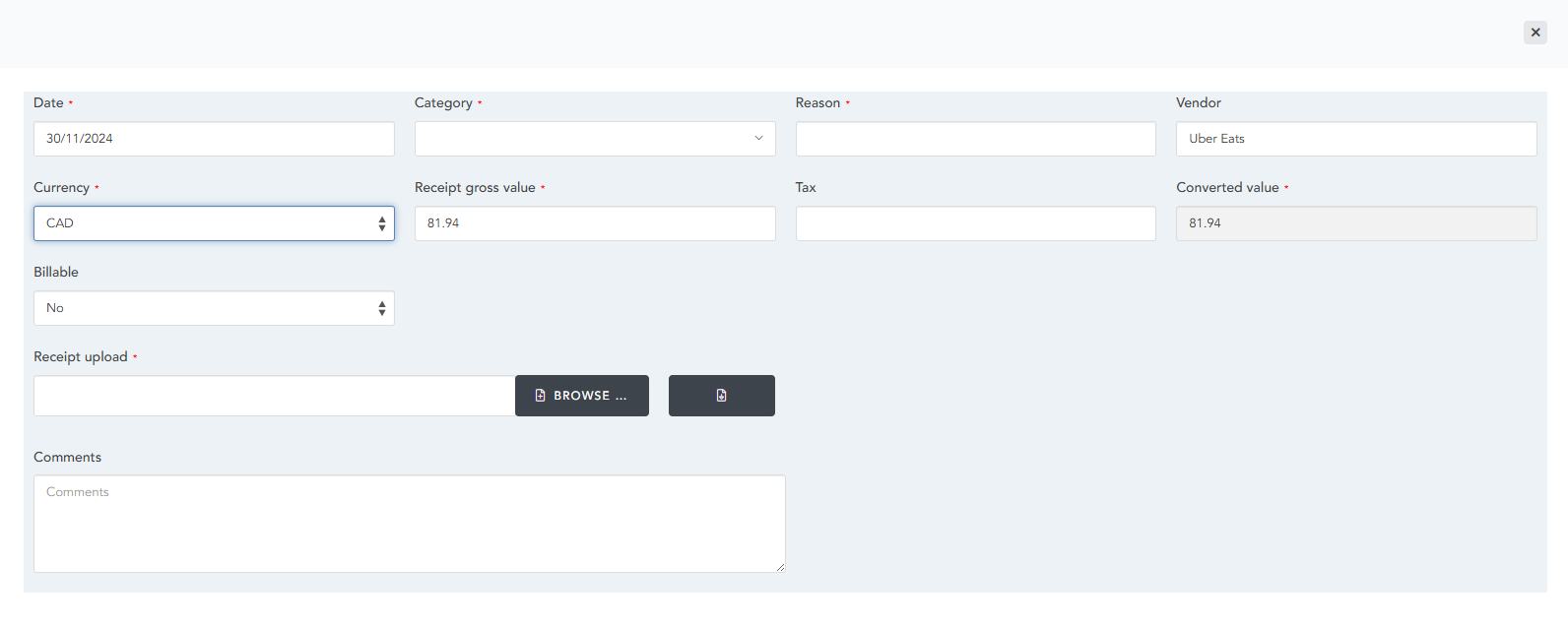
Where, for example, the receipt uploaded is the following:

Make sure to verify that the entered values are correct.
HRWize
Comments