The 1% Training Report in HRWize is a tool that allows companies to track, review, and analyze employee training activities in relation to Quebec’s “1% Law” (Loi sur les compétences). This report provides a clear overview of training costs, including which training sessions are admissible or non-admissible under the law, as well as the total investment made in employee development.
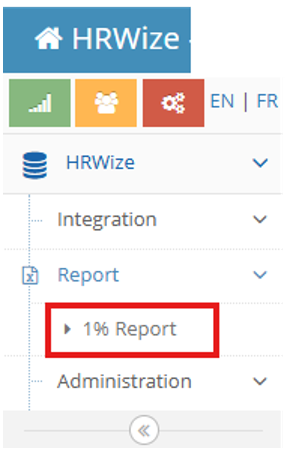
This can be accessed by using the left side module:
HRWize -> Report -> 1% Report
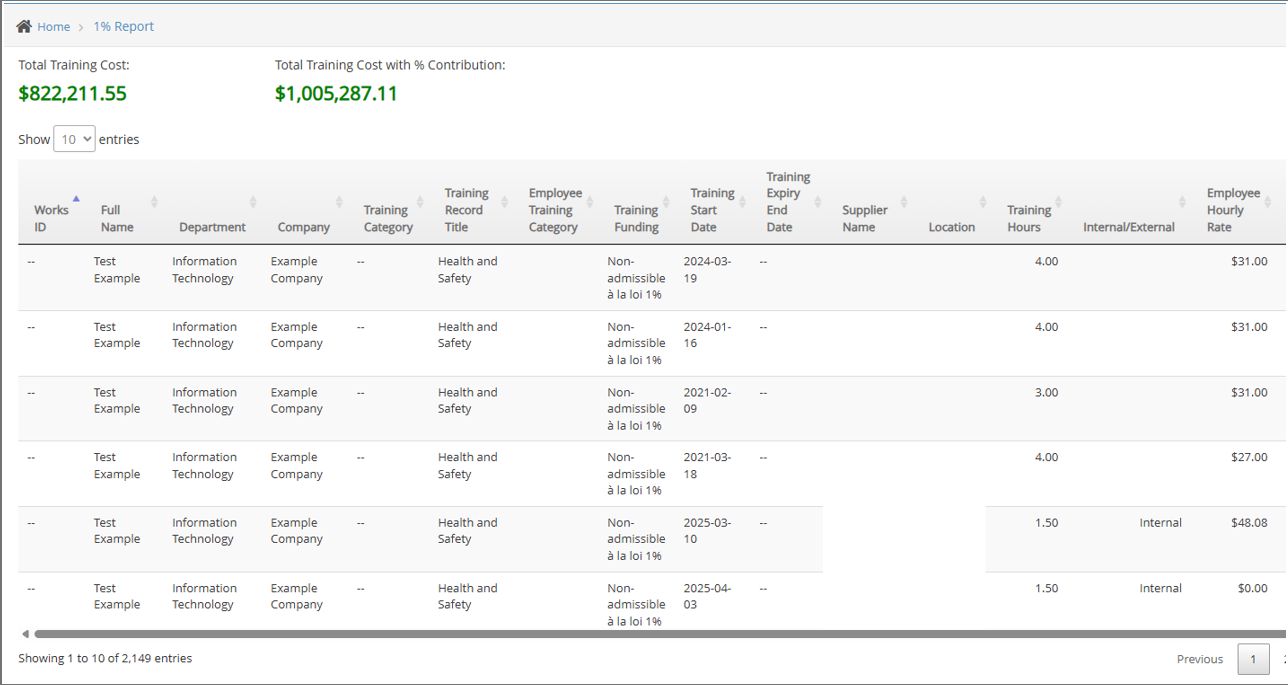
At the top of the report, users can see:
- Total Training Cost: The overall investment in employee training.
- Total Training Cost with % Contribution: The amount when considering contributions under the 1% law.
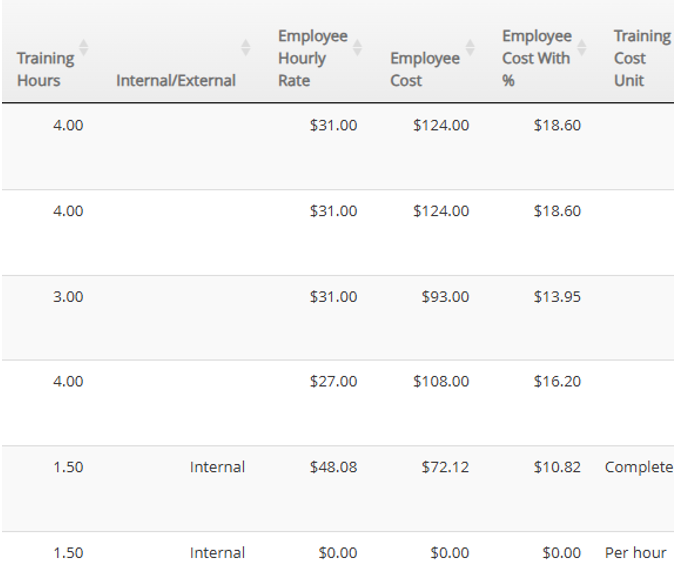
The table lists detailed training data such as employee name, department, training title, training hours, funding status, supplier, and cost per employee. This helps HR teams and managers identify where resources are being allocated and how training aligns with compliance requirements.
Filtering the Report
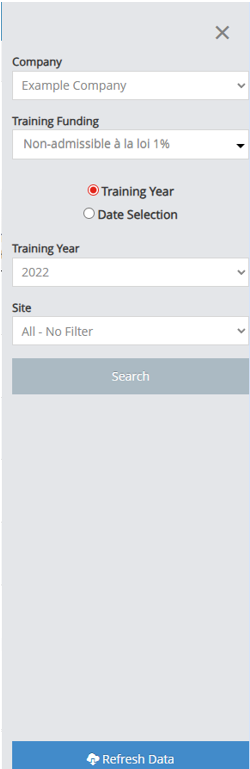
To make the report more useful, the right-hand side menu (funnel icon if menu hidden) includes several filter options. These filters allow users to quickly narrow down large sets of data (often thousands of entries) to focus on what is most relevant:

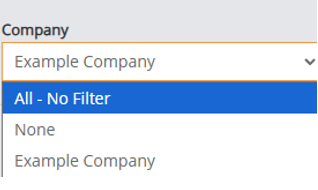
- Company Filter
Choose to view results for a specific company (e.g. Example Company) or apply “All – No Filter” to see results across the organization.
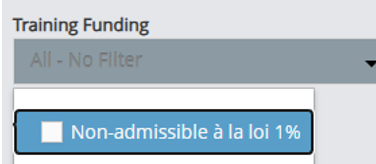
- Training Funding
Filter by whether a training is admissible or non-admissible under the 1% law. This is useful for compliance reporting and ensuring contributions are tracked correctly.
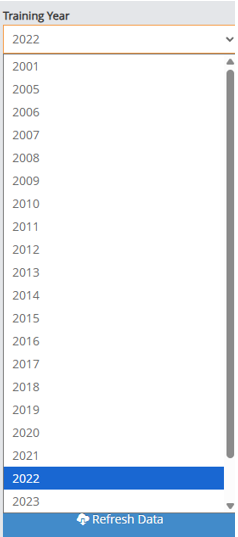
- Training Year
Select a specific year (e.g., 2021, 2023, 2025) to focus on training completed during that period. This is helpful for year-end reporting or comparing trends over time.
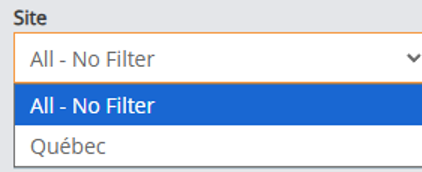
- Site Filter
Some organizations operate across multiple sites. This filter allows you to select training records by site (e.g., Québec) or view all at once.
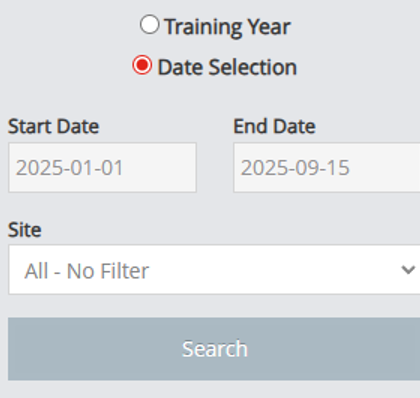
- Date Selection (optional)
Instead of filtering by training year, you can switch to a date range filter to review training completed within specific start and end dates.
How to Use It
- Select the desired filters on the right panel.
- Click Search to update the results.
- Review the filtered report, which will automatically adjust the total training cost values at the top.
- For the most up-to-date information, click Refresh Data.
Why It Matters
The 1% Training Report ensures transparency, compliance, and accountability in how training budgets are spent. By using the filters, HR managers can quickly isolate relevant data—whether to confirm compliance with the 1% law, evaluate training costs by company or site, or prepare internal and external reports.
HRWize
Comments