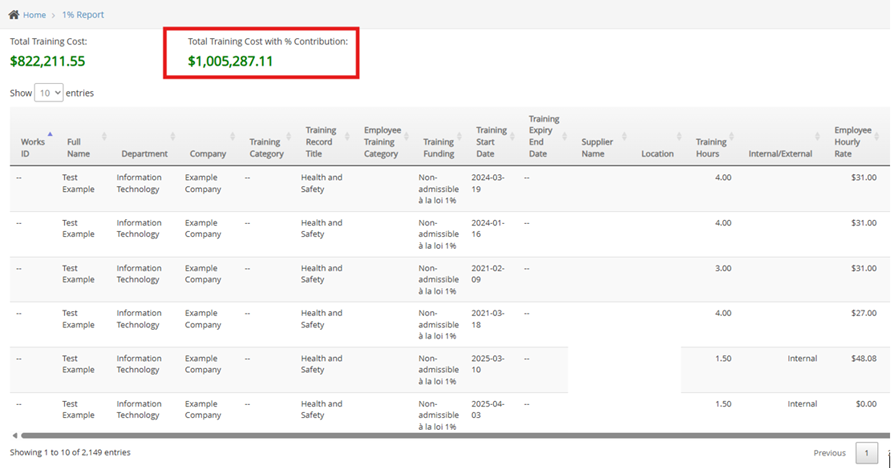
The DAS (Déductions à la source/Source Deductions) Percentage feature in the 1% Training Report allows you to apply a configurable percentage adjustment to the total training cost. When enabled, the report automatically recalculates and displays the “Total Training Cost with % Contribution”, based on the DAS percentage you define.
This is useful when organizations need to include an additional contribution factor or calculated percentage on top of the base training investment for reporting or compliance purposes.
What It Does:
When DAS Percentage is enabled:
- A percentage value (for example, 15%) is applied to the total training cost.
- The report displays an additional calculated field:
- Total Training Cost with % Contribution
- The adjusted total is shown at the top of the 1% Training Report alongside the original total training cost.
- The calculation is applied automatically to the report results once the setting is saved.
How to Enable and Apply DAS Percentage:
- Open/log in to the integration portal.
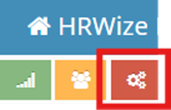
- Click the Settings button on the top left side (Red Gear Icon)
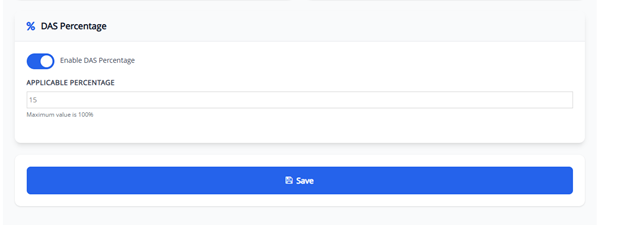
- Under “% DAS Percentage”, turn on the toggle Enable DAS Percentage.
- Enter the desired percentage in Applicable Percentage (maximum 100%).
- Example: enter 15 for a 15% contribution.
- Click Save.
Once saved, return to the 1% Training Report view. The header section of the report will now show:
- Total Training Cost
- Total Training Cost with % Contribution (calculated using the DAS percentage)
Notes:
- The DAS percentage can be adjusted at any time by updating the value and saving again.
- Changes take effect on the report totals after saving and refreshing the report.
- The feature does not change the base training records — it only affects the calculated contribution total displayed in the report.
Niveeshan
Comments